Turn Browsers into Buyers with Smart Currency Conversion
A smart currency converter solves this problem by automatically adjusting prices based on each shopper’s region, ensuring they see clear, familiar figures from the first moment they visit.

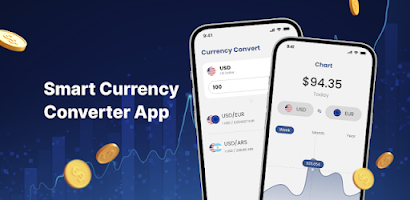
Expanding into international markets often reveals a simple but powerful truth: shoppers hesitate when they do not understand your prices.
When a customer lands on a Shopify store and sees product costs displayed in an unfamiliar foreign currency, uncertainty appears immediately.
They pause, try to calculate the conversion rate, wonder about hidden fees, and often abandon the purchase entirely. This single moment of hesitation is enough to lose a sale.
A smart currency converter solves this problem by automatically adjusting prices based on each shopper’s region, ensuring they see clear, familiar figures from the first moment they visit.
This removes guesswork, boosts confidence, and ultimately increases conversions for global e-commerce businesses.
Introduction: Why Currency Conversion Matters

A reliable currency converter is not just a technical add-on, it is a core trust-building element in cross-border commerce.
Modern shoppers increasingly expect clarity around pricing when shopping internationally. According to a PYMNTS report, 94% of cross-border shoppers expect to view and pay in their local currency, underscoring how critical localized pricing is to building consumer trust. Without a smart converter, customers are forced to mentally calculate exchange rates or jump to external tools to determine costs.
This extra cognitive load introduces friction into the shopping process, and when customers worry about foreign transaction fees or unexpected conversion charges, it creates the impression of “hidden costs”, a major deterrent to completing a purchase.
Indeed, unfamiliar currency often equals perceived risk. A Global-E survey found that 25% of cross-border shoppers will abandon their cart if the final cost, including currency is not clearly displayed before checkout. In short, showing familiar, local-currency prices reduces confusion, enhances transparency, and signals professionalism, all of which help international shoppers feel safer, more informed, and more likely to complete a transaction.
Why a Currency Converter Improves Customer Trust

Shoppers naturally feel more confident when they see prices in a currency they are familiar with.
When a store only displays foreign currency, buyers must pause to calculate exchange rates, estimate additional fees, or check conversion rates elsewhere.
This extra mental effort slows down decision-making and increases uncertainty, which can lead to hesitation or even cart abandonment.
A smart currency converter removes this friction by automatically displaying prices in the shopper’s local currency.
Customers instantly know what they will pay without doing any math or worrying about hidden charges. From their perspective, this clarity signals transparency and honesty, making the store feel trustworthy.
Moreover, seeing prices in their own currency gives international buyers a sense of control. They can plan their budget accurately, anticipate total costs including taxes and fees, and avoid the anxiety of unexpected charges at checkout.
This reassurance is particularly important for first-time visitors, who are evaluating whether to trust your store with their payment information.
By reducing uncertainty and creating a predictable shopping experience, a currency converter strengthens trust, encourages shoppers to proceed to checkout, and increases the repeat purchases possibility.
It transforms potential hesitation into confident buying decisions, enhancing customer satisfaction and long-term loyalty.
How Smart Currency Conversion Impacts Conversion Rates (Step-by-Step Guide)
Step 1: Remove pricing uncertainty by showing instant local currency
Begin by enabling automatic currency conversion so customers immediately see prices in their local currency. When shoppers don’t need to calculate exchange rates or guess the final amount, their confidence increases and cart abandonment decreases. Research from Global-E shows that 25% of cross-border shoppers abandon their purchase if the final cost including currency is not clearly displayed.
Step 2: Localize prices across every stage of the shopping journey
Make sure converted prices appear consistently on product pages, collections, the cart, and the checkout.
According to PYMNTS, many merchants experience higher payment failures in cross-border transactions when they fail to meet local currency expectations.
Most international shoppers prefer using currencies and payment methods they already know, so consistency across all pages helps them stay engaged.
Step 3: Display or include additional fees upfront to reduce “hidden cost” fears
To further improve conversion, clearly show taxes, surcharges, and foreign exchange fees or include them in the converted price. When customers feel that all costs are transparent, they don’t want to abandon their carts.
Step 4: Create a smooth and familiar checkout experience
Ensure the buyer’s currency remains consistent from browsing → cart → checkout. A seamless experience reduces friction and makes the entire purchasing process feel natural and trustworthy for international shoppers.
Step 5: Monitor results and optimize the experience
Once smart currency conversion is enabled, you should track your international conversion rates, payment success rates, and cart abandonment metrics.
You will typically see increases in completed orders, higher global revenue, and fewer customer support inquiries because pricing confusion and payment hesitation are eliminated.
How to Turn Browsers into Buyers with Smart Currency Conversion
Smart currency conversion is one of the most effective ways to turn casual browsers into committed buyers, because it eliminates uncertainty at the very first touchpoint: pricing.
When shoppers see prices displayed in a currency they recognize, their cognitive load drops instantly. They no longer need to calculate exchange rates or wonder how much an item will actually cost, which keeps them engaged and focused on the purchase instead of hesitating.
To create this frictionless experience, merchants should start by enabling automatic currency detection through geolocation.
This ensures that visitors immediately see familiar pricing the moment they land on your store without searching for a currency switcher or making adjustments themselves.
The more seamless the experience feels, the more likely customers are to trust your store and keep exploring.
Price transparency is another critical step in turning browsers into buyers. Displaying fully converted prices that include applicable taxes, exchange fees, or additional charges removes the fear of “hidden costs.”
When shoppers know exactly what they will pay, their confidence increases, and \ cart abandonment rate is lower.
Finally, make sure the checkout process matches the browsing experience. If customers can view prices in their local currency but must pay in a different one, the sudden switch may create doubt and interrupt the purchase flow.
Integrating payment methods that support local-currency checkout ensures consistency from product page to payment confirmation, helping shoppers feel in control throughout the entire journey.
By combining seamless currency detection, transparent pricing, and a consistent checkout flow, smart currency conversion transforms passive visitors into satisfied customers and significantly improves your international conversion rates.
Conversion Benefits of Using a Currency Converter
One of the most powerful benefits of integrating a currency converter into your eCommerce store is increased trust and transparency. When customers see prices in their own currency, they don’t have to do mental math or worry about hidden costs.
This clarity alone can significantly reduce hesitation. Studies show that localized pricing fosters trust and reduces cart abandonment. Moreover, a currency converter significantly improves the checkout experience for international buyers.
With real-time exchange rate information, shoppers can see exactly how much they will be charged in familiar terms, which cuts down on surprise currency conversion fees and lowers anxiety. According to Payine, this transparency not only boosts customer satisfaction but also reduces the risk of shoppers abandoning their carts due to unexpected final prices. payine.com
There is also a strong business advantage for merchants: by offering multi-currency pricing, companies can tap into new markets more effectively and increase top-line sales.
In fact, Fiserv’s own data suggests that allowing customers to “shop and pay in their own currency” can materially improve conversion rates while reducing foreign transaction friction.
Finally, using a currency converter helps you optimize operational efficiency. Instead of manually updating prices for each currency or risking pricing errors, the converter updates rates dynamically.
This automation reduces administrative burden and minimizes the risk of profit loss due to incorrect conversions.
In short, adding a currency converter isn’t just a “nice-to-have”, it's a strategic tool that drives conversion by making your store feel more local, transparent, and trustworthy to international shoppers.
FAQ
What is a currency converter in eCommerce?
A currency converter in eCommerce automatically detects a shopper’s location and displays product prices in their local currency.
Instead of making customers manually calculate exchange rates, it instantly adapts all product prices, cart totals, and sometimes even shipping fees into the currency they are most familiar with.
This reduces confusion, builds trust, and creates a more seamless shopping experience, especially for international customers who may abandon a purchase if the pricing feels unclear or unfamiliar.
Do I need a separate app for smart currency conversion?
Yes, in most cases, a dedicated app is necessary to achieve true “smart” currency conversion. While Shopify offers basic multi-currency features through Shopify Markets, this default setup often lacks advanced capabilities such as intelligent price rounding, automatic geolocation detection, real-time exchange rate updates, or fully synchronized price conversions across product pages, collections, carts, and checkout.
Apps like CV provide these additional layers of functionality, helping merchants deliver more accurate pricing and a smoother experience tailored to each shopper’s currency.
How does a currency converter improve conversions?
A currency converter improves conversions by eliminating the uncertainty customers feel when viewing prices in a foreign currency.
When shoppers see exactly how much they will pay without worrying about exchange rates or unexpected fees they are more confident in moving forward with a purchase.
Clear, localized pricing reduces hesitation, lowers cart abandonment, and creates a more trustworthy journey from product page to checkout. As a result, international buyers will want to complete their orders, boosting your store’s conversion rate.
