
How Geolocation Improves Global Store UX
Learn how geolocation can improve global Shopify store UX through market routing, local currency, language prompts, shipping clarity, and better international conversion.

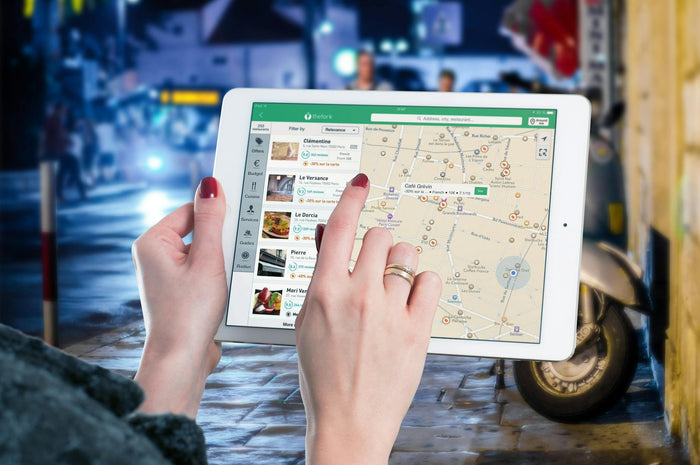
Global shoppers do not all arrive with the same expectations. A visitor from Canada may care about delivery timelines and duties, while a shopper from Germany may look for language, local currency, and familiar checkout cues.
If every visitor sees the exact same store experience, the brand may feel less relevant even when the product is a good fit. The issue is not always the catalog. It is often the mismatch between the customer’s location and the buying experience shown to them.
Geolocation can improve global store UX by helping the store recommend the right country, currency, language, delivery context, and market experience. Used well, it makes international buying feel easier without making the store feel intrusive.
This guide explains how Shopify merchants can use geolocation thoughtfully, where it improves conversion, and why Shopify can be a practical foundation for building market-aware global experiences.

Why Geolocation Matters for Global UX
Geolocation matters because location shapes the shopping questions customers ask. They want to know whether prices make sense, whether the store ships to them, whether delivery is realistic, and whether checkout will feel familiar.
A global store that answers those questions early can reduce friction before the shopper reaches the cart.
Location changes price expectations
Customers usually expect to see prices in a currency they recognize. If they do not, they may assume the store is not designed for their region or that the final cost might change later.
Location changes shipping confidence
Delivery expectations depend heavily on region. A shopper may be willing to wait longer for an international order, but they still need clear timelines and tracking expectations.
Location changes language and policy needs
Some markets need translated content, localized returns information, or duty and tax clarity. Geolocation can help guide shoppers toward the market experience that matches those needs.
What Geolocation Should and Should Not Do
Geolocation should make the store easier to use. It should not trap visitors, force choices, or make assumptions that shoppers cannot correct.
The best geolocation UX gives helpful guidance while keeping the customer in control.
It should recommend, not confuse
A good market prompt can say, in effect, “It looks like you are shopping from this region. Would you like to view the local experience?” That feels helpful because the shopper understands the reason for the prompt.
A confusing redirect with no explanation can feel broken, especially if the visitor wanted to browse another region.
It should support choice
Customers may shop from one country while sending to another. They may also prefer a different language or currency than the one their location suggests.
That is why country and language selectors still matter, even when geolocation is active.
It should respect legal and market realities
Some regions require more careful localization and consent strategy than others. Geolocation should be designed with customer experience, market rules, and store operations in mind.

Where Geolocation Improves the Customer Journey
Geolocation can help at several points in the customer journey, but it should not overwhelm the shopper with too many prompts.
The best use cases are tied to moments where location affects the buying decision.
Landing page market routing
International traffic often arrives from ads, social content, influencer links, or search. If those visitors land on the wrong market experience, they may see irrelevant currency, shipping promises, or policy language.
Geolocation can help guide them toward the right regional version of the store.
Currency and price display
Local currency helps shoppers understand price faster. When geolocation supports currency recommendations, the store feels more tailored to the visitor’s buying context.
Language recommendations
Language is not only about translation. It affects trust, comprehension, and the ability to understand product details, delivery rules, and returns.
A language recommendation can be helpful when it is easy to accept, dismiss, or change later.
Shipping and delivery context
Location-based shipping messages can prevent confusion. If delivery windows, fees, or duties vary by market, shoppers should know before they reach checkout.
| Journey point | Geolocation role | UX benefit |
|---|---|---|
| Landing page | Recommend correct market | Reduces mismatch |
| Product page | Show relevant currency and shipping context | Builds confidence |
| Cart | Confirm delivery and totals | Reduces checkout hesitation |
| Footer or header | Offer market selector | Keeps customer in control |
How Geolocation Can Increase Conversion
Geolocation improves conversion when it removes uncertainty. It is not a magic personalization layer, but it can make each step feel more relevant to the shopper’s location.
It reduces early exits
If shoppers immediately see a currency, language, or shipping message that matches their market, they have fewer reasons to assume the store is not for them.
This can be especially important for traffic from international campaigns.
It protects checkout momentum
When market information is clear earlier in the journey, shoppers are less likely to discover surprises at checkout.
That matters because surprises around shipping, duties, taxes, and currency are common reasons global shoppers pause before paying.
It improves trust through relevance
A localized experience tells the shopper that the store has thought about their region. That can make the brand feel more established and more reliable.
For merchants building international sales, Shopify can help create a more structured store experience across markets rather than relying on one generic storefront for every visitor.

Common Geolocation Mistakes to Avoid
Geolocation can easily hurt the experience when it becomes too aggressive. Customers need help, not a feeling that the store is making decisions for them.
Forcing hard redirects
Hard redirects can be frustrating if customers cannot return to the version they wanted. This is especially true for travelers, gift buyers, or customers researching from one country and shipping to another.
Showing too many prompts
A country prompt, language prompt, discount popup, cookie banner, and email popup can overwhelm visitors before they even see the product.
Market guidance should be calm and focused.
Assuming location equals preference
Location is useful, but it is not perfect. Browser language, shipping destination, payment preference, and user choice can all matter too.
That is why selectors and customer control are still important.
Ignoring mobile UX
Global shoppers often browse on mobile. A large geolocation popup can block the product, frustrate the visitor, and increase bounce.
Keep market prompts compact and easy to dismiss.
Designing a Better Global Store Experience
A strong global UX does not rely on geolocation alone. It combines smart recommendations with clear navigation, local pricing, shipping clarity, and policy transparency.
The store should feel localized without feeling fragmented.
Use a market selector in a predictable place
A header or footer selector gives customers a stable way to change country, region, language, or currency. This is useful even when automatic recommendations are working well.
Localize the promise, not just the price
Local currency is helpful, but customers also need to understand shipping times, returns, duties, taxes, and support availability for their market.
Keep design consistent across markets
Localization should not make each regional version feel like a different brand. Keep the visual system, tone, and product hierarchy consistent while adapting the details that matter locally.

A Practical Geolocation UX Framework
Use geolocation as a decision support layer, not a replacement for clear store design. The framework below keeps the shopper in control while still helping them reach the right experience faster.
- Identify your priority markets.
- Define currency, language, shipping, and policy needs for each market.
- Use geolocation to recommend the most relevant experience.
- Keep country and language selectors visible.
- Make checkout expectations match the earlier journey.
- Test the experience from each target region.
What to test
Test whether shoppers see the right market prompt, whether they can change market easily, whether currency stays consistent, and whether shipping expectations remain clear through checkout.
Also review mobile behavior carefully, because the same geolocation prompt can feel helpful on desktop and intrusive on a smaller screen.
High-Converting Geolocation Checklist
Before sending international traffic to a global store, review the experience from the customer’s perspective.
- Does the visitor receive a helpful market recommendation?
- Can the shopper easily change country, language, or currency?
- Does local currency appear before checkout?
- Are shipping and return expectations market-specific?
- Does the prompt avoid blocking product discovery?
- Does the checkout experience match the selected market?
- Is mobile geolocation UX easy to dismiss and understand?
Ready to make your global store feel more local without rebuilding every market from scratch?
Final Thoughts
Geolocation improves global store UX when it helps shoppers reach the right market experience faster. It should guide customers toward relevant currency, language, delivery expectations, and checkout context without removing their control.
The best international stores use geolocation as part of a broader localization system. Market selectors, local currency, clear policies, mobile-friendly prompts, and consistent checkout expectations all work together to reduce friction.
Build your Shopify store for better global UX if you want geolocation, localization, and international checkout confidence to support stronger conversion across markets.
FAQ
How does geolocation improve eCommerce UX?
Geolocation can recommend the right market, currency, language, and delivery context, helping shoppers find a more relevant store experience faster.
Should geolocation automatically redirect shoppers?
Automatic redirects can be helpful in some setups, but shoppers should still have control. A visible selector helps customers choose the market they prefer.
Can geolocation improve conversion?
Yes, when it reduces uncertainty around price, language, shipping, and checkout. It works best as part of a complete localization strategy.
What is the biggest geolocation mistake?
The biggest mistake is forcing a market experience without explanation or control. This can frustrate travelers, gift buyers, and shoppers using VPNs.
Does geolocation replace local currency setup?
No. Geolocation can recommend a market, but the store still needs accurate local currency, checkout, shipping, and policy settings.
We only recommend tools we've tested and trust. This post may include affiliate links, meaning we may earn a commission if you choose to purchase - at no extra cost to you.


